What's New: Technology for Learning Blog
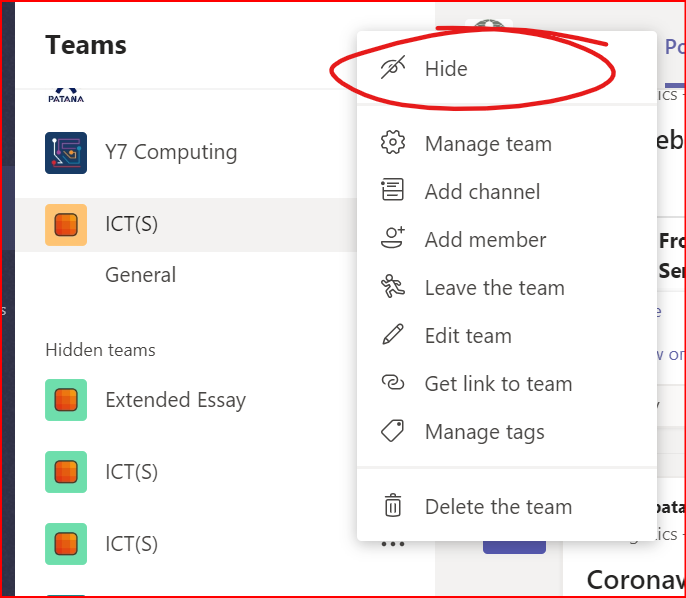
In an effort to make it easier to assign a team to a whole class or set, we are experimenting with linking your classes with Microsoft Teams so that they appear automatically within the platform. We switched on the sync yesterday but it looks as it the set/class names did not pull through in the sync.
My apologies for this. We should have tried with a smaller group of teachers - lessons learnt.
For now, all you need to do to 'tidy' up your teams is click the three dots next to the newly formed Team and select 'hide'.
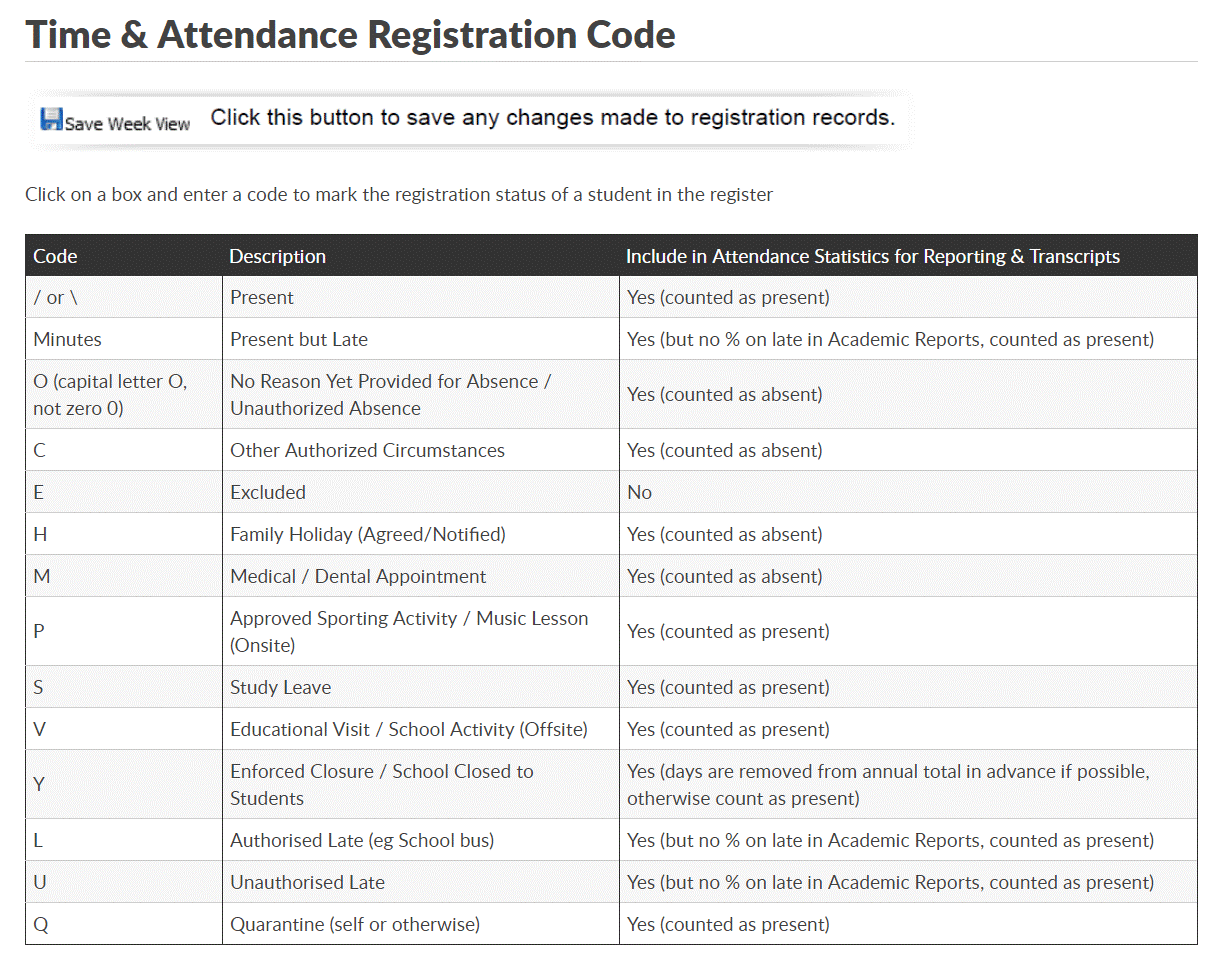
For clarity with registration analysis, we have created a new ‘Q’ code in iSAMS for students in quarantine (see bottom of this table)
Any questions regarding this please contact brta@patana.ac.th
Dear Colleagues & Students
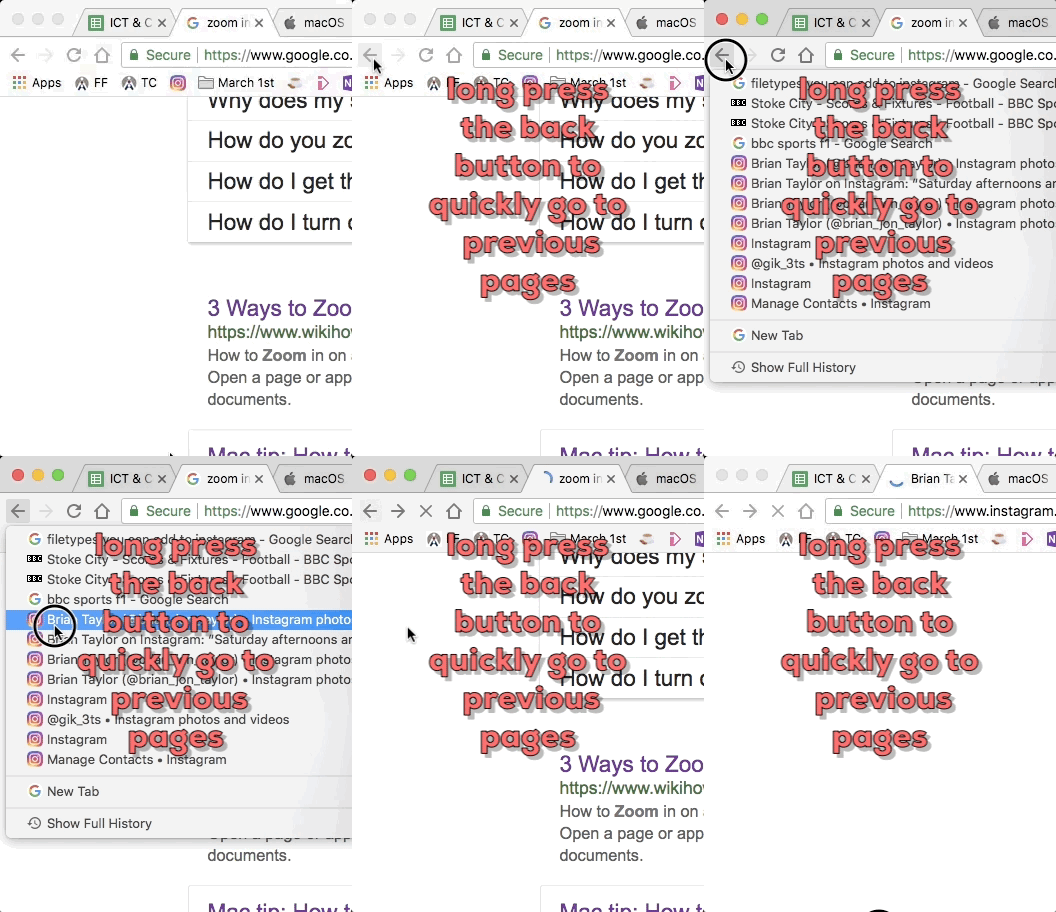
I often forget. Don’t click the back button in your browser many times, long-press instead… try it and see.
Even better, this works on your phone too!
Dear Colleagues
The quick access toolbar on all Microsoft Office products can save you a lot of time clicking through the menu.
Here’s a short video on how to set up delay delivery in Outlook:
Dear Colleagues
Watch this short clip on having a digital sabbath:
Please remember the following when sending emails: