What's New: Technology for Learning Blog
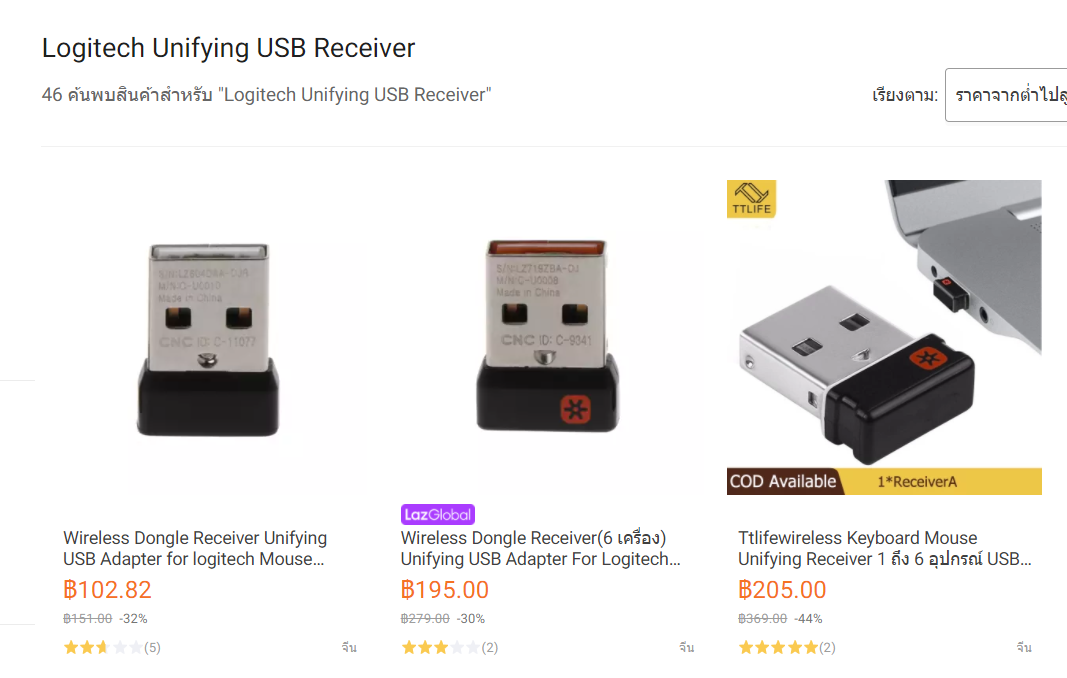
I have several mice / keyboard combinations that are useless without their paired dongle. I didn't realise until recently that you can buy a replacement universal dongle from Lazada...
More info below:

Source: https://www.bbc.com/news/technology-55497353
Adobe Flash Player, the browser plug-in that brought rich animations and interactivity to the early web, has officially reached the end of its life.
Adobe has provided instructions for removing Flash on Windows and Mac computers on its website.

It’s the festive season so instead of the 12 days of Christmas, I’ve taken liberty and borrowed from this post by Physician and filmmaker Delaney Ruston.
You will need to decide which of these film suggestions aligns with your child’s age, interest, and maturity level. As Delaney mentions, consider taking a couple of nights to watch a whole documentary together. Suggest to your kids, especially documentary-hesitant kids, that you only watch half of it to start with, or even less.
The 12 are linked below but go to Delaney’s post to read a description about them first before you go and look for them in Netflix or other services you subscribe to. Also, look at some of the others recommended in the comments section on the same post.
I must take hundreds of screenshots every day. I know there are built-in ways to do it for Mac and Windows, but sometimes I need to upload the cloud and get a link to the image to paste in a comment box. That’s where Lightshot comes in handy. You can download the app (free for Mac and Windows) or instal as an extension in your Chrome browser. Watch this short video on how to use Lightshot.
Thanks to the regulars at the PTG Tech tips last Tuesday. We explored how we use Apple Classroom the Guided Access on our school iPads. At the next event in January, we will be exploring the virtual reality devices we use at Patana.
If you are using Edpuzzle with your students (or are interested in using it) then this information is for you:
Due to the Coronavirus outbreak, we have gone ahead and granted Pro access to your school until the end of July. All registered teachers with a verified email address are already upgraded.
- Any other teacher in your school who hasn't been upgraded or hasn't registered to Edpuzzle yet, can log in or sign up through this link and will get automatically upgraded: https://edpuzzle.com/schools/join/nbq5rc